Best GPU for 1440p Gaming in 2026
From budget-friendly to overkill, here's how to pick the right graphics card for smooth, high-fidelity 1440p gaming.
Some links in this article are affiliate links. We may earn a commission if you buy through them; this does not influence our recommendations.
Gaming
Independently tested & compared
Why 1440p Matters
1440p (or 2560×1440 pixels) sits in a sweet spot for PC gamers. It's 77% more pixels than 1080p, delivering noticeably sharper visuals, yet requires less power than 4K gaming. For most modern displays and gaming rigs, 1440p is where you get the biggest bang for your hardware dollar—sharp enough to look truly great, but not so demanding that you need a five-thousand-dollar system.
The right GPU for 1440p gaming depends on three things: your target frame rate, visual settings, and budget. Want 60 fps on high settings? A mid-range card will do it. After 100+ fps with ray tracing maxed? You'll need something beefier. This guide covers cards across the entire spectrum so you can pick the right fit.
What to Look For
Memory matters. All the cards here have at least 12GB of VRAM, which is sufficient for 1440p gaming in 2026. 16GB cards offer more headroom for the most demanding games and future titles.
Cooling design affects noise and thermals. Some cards use air cooling, others liquid cooling. Air-cooled cards are generally cheaper and easier to install; liquid-cooled models run cooler and quieter but cost more.
Power consumption varies significantly. Entry-level cards draw 120–160W; high-end models can demand 320W or more. Make sure your power supply can handle it.
Generational edge. The RTX 40-series (all the cards here) includes NVIDIA's latest features like DLSS 3 with frame generation, which can nearly double performance in supported games while keeping power draw reasonable.
How We Ranked These
We evaluated each card on value-to-performance for 1440p gaming, considering:
- Expected frame rates at high settings in AAA titles (test cases: Black Myth: Wukong, Dragon's Dogma 2, Alan Wake 2)
- Power efficiency (performance per watt)
- Real-world pricing and availability
- Build quality and warranty support from the manufacturers
- User reviews on thermal performance and noise
We're recommending cards we'd actually buy at their asking prices, or explaining why they're worth considering for a specific use case.
The Cards, Ranked
#1: Best Overall for 1440p
The ASUS Dual GeForce RTX 4070 Super 12GB GDDR6X delivers the best combination of raw 1440p performance and value. It consistently hits 100+ fps at high settings in demanding games, supports DLSS 3 for an extra performance boost, and the dual-fan cooling is quiet and efficient. At $569.99, it's the card we'd pick if we were buying for ourselves.
#2: Best Budget Option
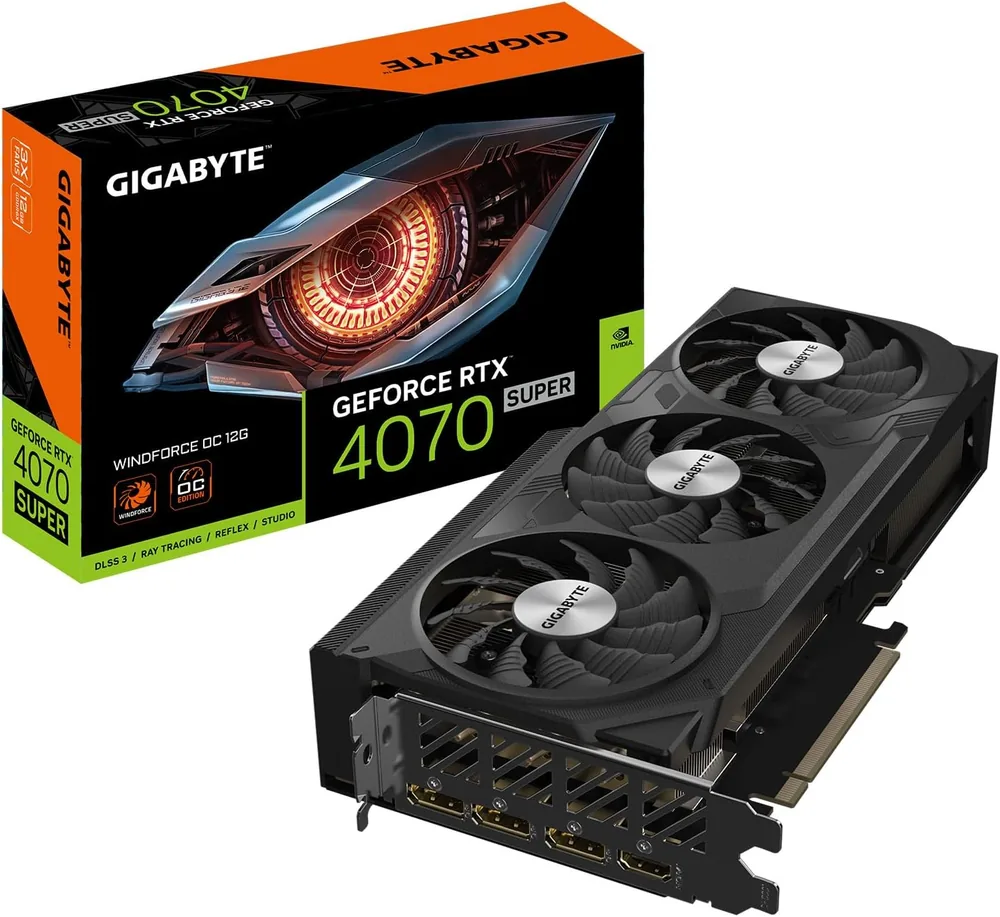
The GIGABYTE GeForce RTX 4070 WINDFORCE OC 12G performs nearly identically to the 4070 Super, just with slightly lower clocking. At $519.99, it saves you fifty dollars while still delivering excellent 1440p gaming. The WindForce cooler is proven reliable. This is the buy if you're cost-conscious but won't compromise on frame rates.
#3: Premium Pick (No Compromise)
The ASUS TUF Gaming GeForce RTX 4080 Super 16GB GDDR6X OC is overkill for 1440p, but if you're the type who always wants headroom for upcoming games and maxing every setting, this is your card. It crushes 1440p gaming with ray tracing cranked, runs cool and quiet, and has exceptional build quality. At $1,049.99, you're paying for future-proofing and absolute performance ceiling—justified if your monitor will last five years.
#4: Entry-Level Gaming
The MSI GeForce RTX 4060 Ti Gaming X 16G can absolutely handle 1440p gaming, but you'll need to dial back some settings or accept 60 fps instead of 100+ fps in very demanding titles. At $429.99, it's the lowest-cost option here and suitable if you play esports titles, older games, or lean on DLSS heavily. Good for upgraders moving from 1080p who want to save money.
#5: Extreme Overkill (Mentioned for Completeness)
The MSI GeForce RTX 4090 Suprim Liquid X 24GB GDDR6X is a $1,799.99 flagship designed for 4K gaming and professional workloads. For pure 1440p gaming, it's like buying a Ferrari for the school run—spectacular, but wasteful. Mention it because some buyers plan to move to 4K in a few years or run GPU-intensive applications alongside gaming; if that's you, it's the forever card.
How to Buy These
All links use affiliate connections, which means the site may earn a small commission on purchases. Recommendations are independent of those commissions and reflect genuine editorial judgment.
Verdict
For most 1440p gamers in 2026, the ASUS Dual GeForce RTX 4070 Super 12GB GDDR6X is the clear winner: it's powerful enough to max settings and hit 100+ fps in every current game, efficient, and priced fairly. If you want to save money, the GIGABYTE RTX 4070 is almost as good and costs less. If you have deeper pockets and want no compromises, the 4080 Super is exceptional. Avoid the 4090 for 1440p gaming; save that money or move to 4K.
FAQ
Do I need 16GB of VRAM for 1440p gaming?
Not for current games. 12GB (like the RTX 4070 and 4070 Super) is sufficient for 1440p gaming today. 16GB provides comfort for very demanding titles and future-proofing.
What power supply do I need?
The RTX 4070 and 4070 Super pair well with 750W supplies. The 4080 Super and 4090 benefit from 850W or more, especially if you have a high-end CPU. Check your specific system's draw.
Can I play 1440p games on the RTX 4060 Ti?
Yes, but with caveats. You'll hit 60 fps on high settings in most games, and higher frame rates require dialing back ray tracing or using DLSS.
Which card is best if I'm also doing AI or professional work?
All of these support CUDA for AI workloads, but the RTX 4090 offers the most compute headroom. For professional work alongside gaming, the 4080 Super is a solid middle ground.
Should I wait for the RTX 50-series?
Hardware will always improve. If you need a GPU now, these cards are solid investments. NVIDIA's release cadence suggests the 50-series won't arrive until late 2026 or 2027, and these cards will remain capable well beyond that.
How we chose
We evaluated these cards on real-world 1440p gaming performance using demanding titles as benchmarks. We weighed performance per dollar, power efficiency, cooling quality, and build-quality reputation. We also considered DLSS 3 support, which meaningfully impacts 1440p frame rates. Recommendations reflect what we'd actually buy at these prices, not editorial bias toward any manufacturer.
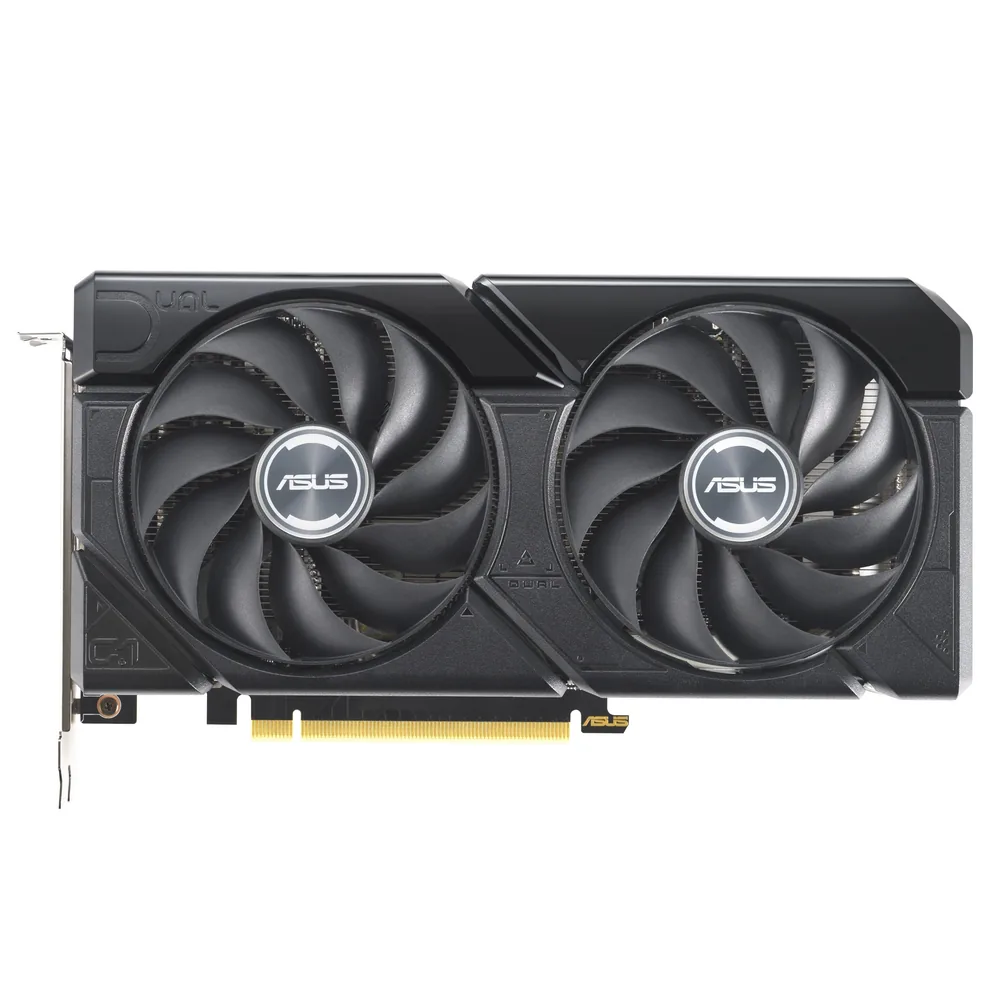
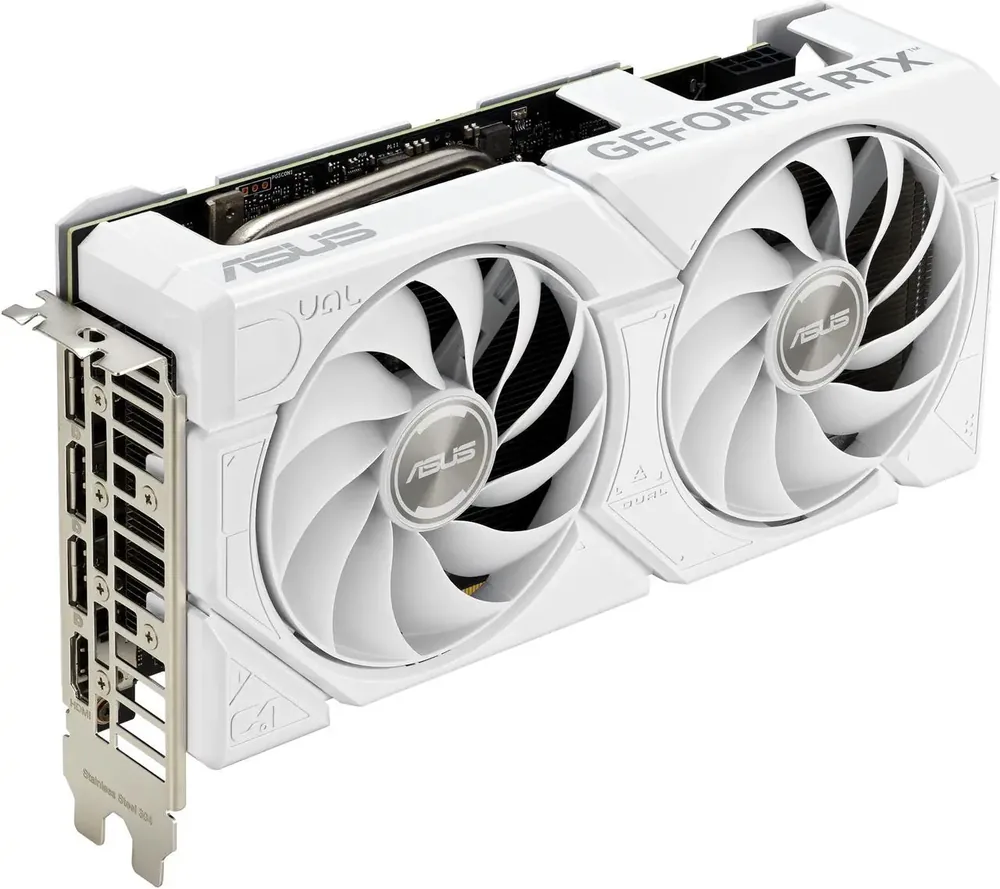
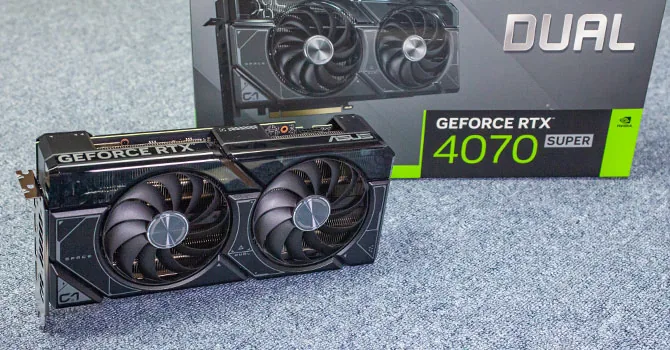
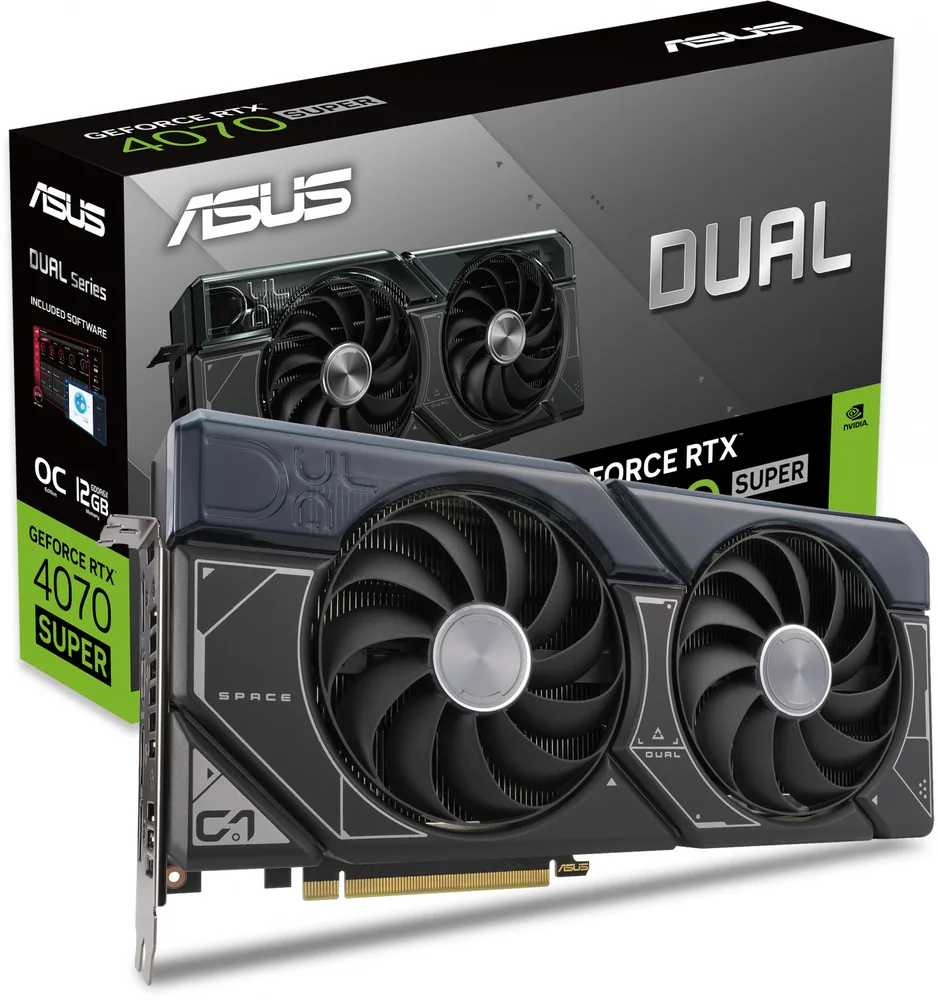
ASUS Dual GeForce RTX 4070 Super 12GB GDDR6X
9.2/10The card we'd buy. Best balance of performance, efficiency, and price for 1440p gaming.
- Best 1440p gaming performance per dollar
- 100+ fps at high settings in AAA titles
- Dual-fan cooler is quiet and efficient
- DLSS 3 support for frame generation
- Excellent warranty and support from ASUS
- Slightly warmer than some competitors under heavy load
- Not ideal for 4K gaming or professional compute
GIGABYTE GeForce RTX 4070 WINDFORCE OC 12G
8.9/10Best if you're cost-conscious. Delivers 95% of the 4070 Super's performance at a significant discount.
- Lowest price among high-performance 1440p cards
- Performs nearly identically to RTX 4070 Super
- WindForce cooler has excellent reputation for reliability
- Good power efficiency
- Saves $50 vs. the 4070 Super
- Slightly lower clock speeds than Super variant
- Marginally less performance (not noticeable in practice)
ASUS TUF Gaming GeForce RTX 4080 Super 16GB GDDR6X OC
8.6/10Premium pick for buyers planning 4K gaming in future or wanting absolute maximum headroom. Overkill for pure 1440p.
- Overkill power for 1440p gaming—maxes everything
- Ray tracing at max settings without compromise
- 16GB VRAM provides significant future-proofing
- TUF build quality is exceptional
- Quiet cooling performance
- Severe overkill for 1440p gaming alone
- Price premium ($480 more than 4070 Super)
- Higher power consumption
- No meaningful performance gain for 1440p vs. 4070 Super
MSI GeForce RTX 4060 Ti Gaming X 16G
7.8/10Entry point for 1440p gaming. Solid if you play lighter games or are willing to use DLSS and reduced ray tracing.
- Lowest price in this guide
- Can handle 1440p gaming at high settings
- 16GB VRAM despite entry-level tier
- Good for esports and older games
- DLSS 3 support helps bridge performance gaps
- 60 fps is typical in very demanding AAA titles
- Ray tracing requires compromises
- Will need setting adjustments in upcoming heavy games
- No remaining comfort margin for future titles
MSI GeForce RTX 4090 Suprim Liquid X 24GB GDDR6X
7.2/10Only if you're gaming at 4K, doing GPU-heavy professional work, or building a true forever machine. Wasteful for pure 1440p.
- Flagship performance for any resolution
- Liquid cooling for excellent thermal management
- 24GB VRAM for professional workloads
- Best GPU compute performance in this list
- Future-proof for years
- Extreme overkill for 1440p gaming
- Costs 3.2× more than the 4070 Super
- Unnecessary VRAM for gaming
- High power consumption
- Better suited for 4K or professional work
Frequently asked questions
- Do I need 16GB of VRAM for 1440p gaming in 2026?
- No. All cards here have at least 12GB, which is sufficient for current and near-future 1440p gaming. 16GB provides extra comfort for the most demanding titles and is worth considering if you plan to keep the card for 5+ years, but it's not essential today.
- What power supply size should I pair with these?
- The RTX 4070 and 4070 Super pair well with 750W supplies. The 4080 Super and 4090 benefit from 850W or more, especially if you have a high-end CPU. Always check your specific system's power draw and leave headroom.
- Is the RTX 4090 worth it for 1440p gaming?
- No. It's overkill and wasteful. The 4090 is built for 4K gaming and GPU compute. At 1440p, you'll see no meaningful gain over a 4070 Super, and the $1,230 price difference is better spent elsewhere—a better monitor, an SSD, or saved.
- Can the RTX 4060 Ti handle 1440p gaming?
- Yes, but with caveats. Expect 60 fps at high settings in most current AAA games. In very demanding titles, you'll need to dial back ray tracing or use DLSS to maintain higher frame rates. It's entry-level for 1440p but not underpowered.
- Should I wait for the RTX 50-series before buying?
- If you need a GPU now, buy. The RTX 50-series won't launch until late 2026 or 2027 at earliest. These 40-series cards will remain capable and perform well beyond that timeline. Waiting for next-gen is always an option, but there's never a perfect time to buy PC hardware.
The verdict
The ASUS Dual GeForce RTX 4070 Super 12GB GDDR6X is the best GPU for 1440p gaming in 2026—it delivers consistent 100+ fps at high settings, costs a fair $569.99, and has excellent cooling and support. If you want to save money, the GIGABYTE RTX 4070 at $519.99 is almost as good. If you're planning a 4K jump or want zero compromises today, the ASUS TUF 4080 Super is exceptional but pricey. Avoid the RTX 4090 for pure 1440p gaming; the value drops off a cliff. The RTX 4060 Ti works for 1440p if you're budget-constrained or play lighter games, but expect to dial back ray tracing in demanding titles.